Solutions · Accounting & audit
The same records, every cycle, with an end to access.
For accounting and audit teams, DocuPrivé is designed to bring order to the yearly round of document requests: one clear Request per person, access that ends with the engagement, and a review when the file closes. Issuing a Request to one verified person for a defined period exists in our development build; the rest is designed and not yet built.
Roles in this examplean engagement leada team memberthe client's finance contact
Who it is for
Accounting firms, audit teams and finance advisers who request the same kinds of records from clients every period.
The engagement lead who is accountable for the file, the team members who prepare the work, and the client's finance contact who supplies the records.
The recurring problem
Each cycle starts with a list of records and a run of emails: requests, reminders, re-sends. Statements and confirmations arrive as attachments and stay in inboxes long after the engagement ends.
When the file closes, it is hard to say which copies still exist, who could open them, and when they should go.
An example workflow
How this work is designed to run, step by step.
3 of 9 steps exist in our development build; the others are designed, not yet built. This example shows how the stages fit together; the names and steps are generic.
- 01
Ask for the year-end records
The team member issues a Request from the engagement's Room to the client's finance contact, listing the records needed and the exact date and time access ends.
In our development build - 02
The contact opens only that Request
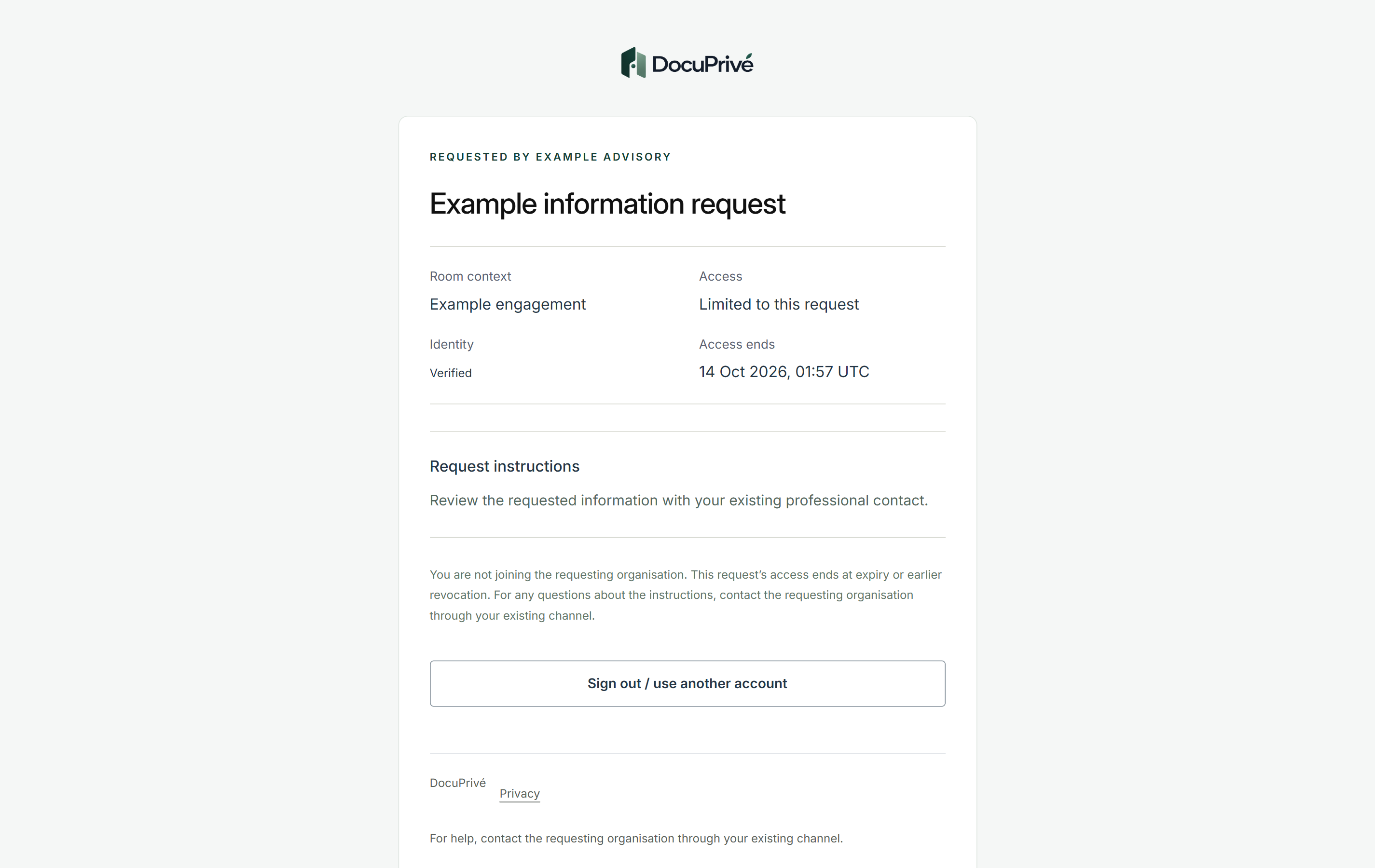
Recipient access starts with a verified receiving email address. The recipient sees only that Request: who asked, what is needed and when access ends. They do not join the requesting organization.
In our development build, for Request details - 03
Resend or revoke when plans change
Access to a Request can be revoked, and the notification can be resent.
In our development build - 04
Records arrive against the Request
Documents arrive in the context of the Request they answer, not a general inbox.
Designed, not yet built - 05
The team works with the records the task needs
People work with the documents a task needs, and no more.
Designed, not yet built - 06
Access ends with the engagement
Access is designed to end when the work does, so records are not left open after the engagement closes.
Designed, not yet built - 07
A review when the file closes
Before anything ends, the right people can look again.
Designed, not yet built - 08
Kept for the period policy sets
Material is kept for a period set by policy, not left by accident.
Designed, not yet built - 09
A record of each decision
A proportionate record of what was decided, kept with privacy in mind, from the first Request to the end.
Designed, not yet built
In our development build
What the other side sees today.
When a Request is issued to someone outside the firm, this is their view: only that Request, who asked, what is needed and when access ends.