
Platform · Request · Receive · Classify
Request & Receive
Ask for exactly what the work needs, and receive it in context.
Request & Receive is where a piece of work begins in DocuPrivé. You issue a Request from inside a Room to one named person, with a title, instructions and an exact end to access. Issuing, verifying and revoking Requests exist in our development build; receiving and classifying documents are designed and not yet built.
Request is in our development build. Receive and Classify are designed, not yet built.
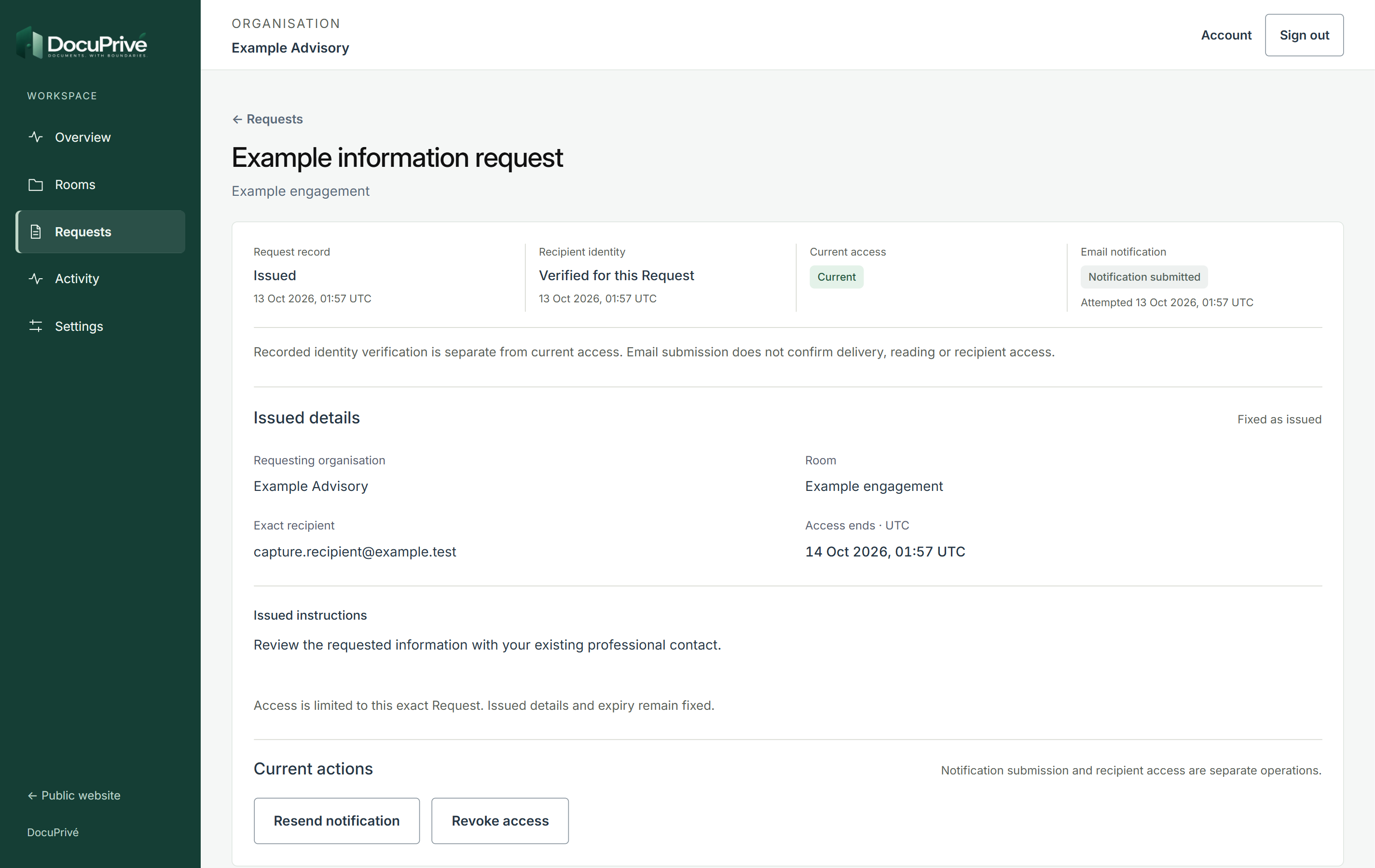
In our development build
Before and after a Request is issued.
The form asks for five things. Once issued, they become a fixed record with separate entries for issue, identity, access and notification.
1 Issuing
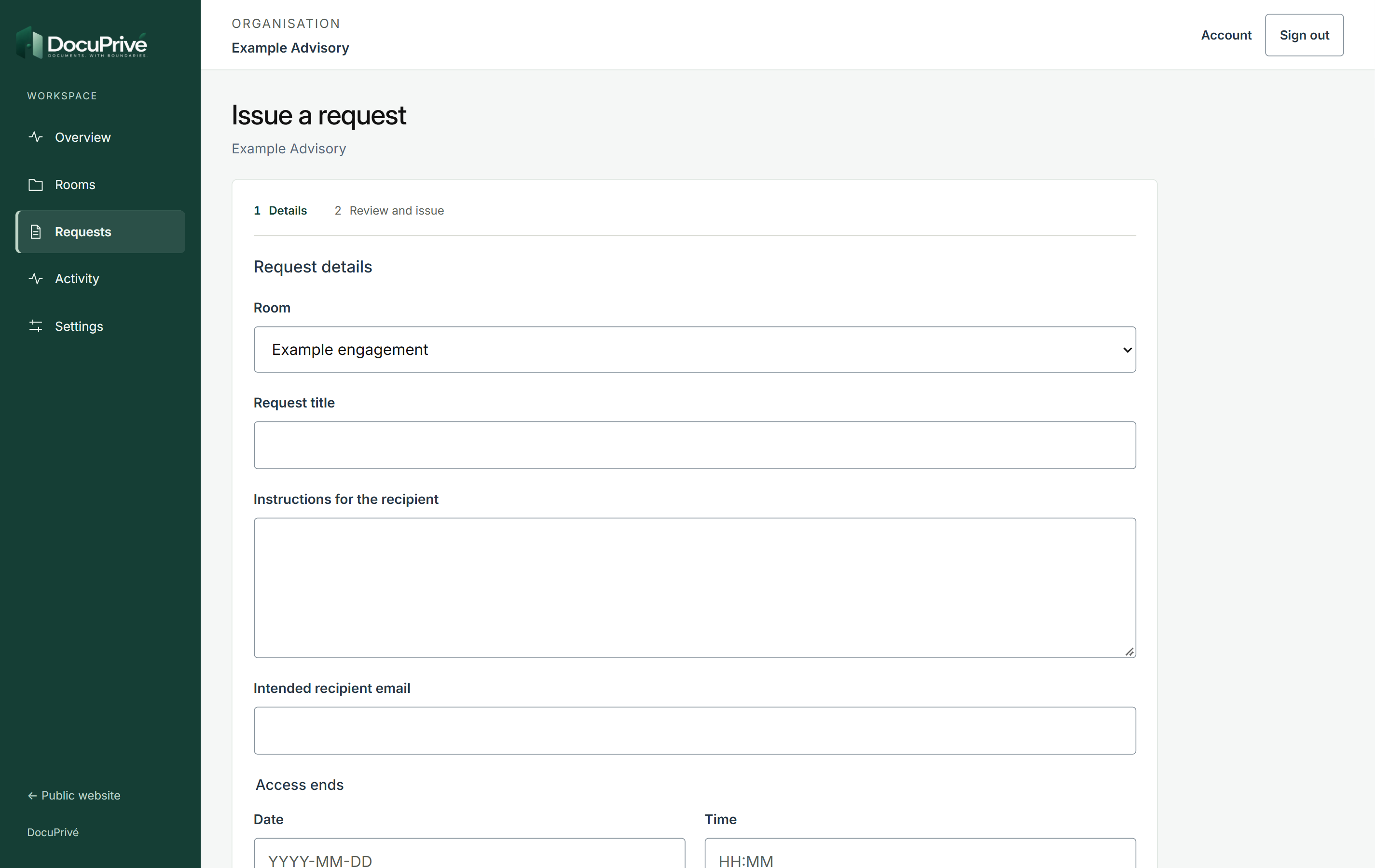
- Room the piece of work it belongs to
- Request title what is being asked for
- Instructions for the recipient
- Intended recipient email the one person it is for
- Access ends an exact date and time
2 Issued
See the full screens
Requester and recipient
One Request, one person, one boundary.
How a Request connects the requester and one recipient
Room
The piece of work
Every Request is issued from inside a Room, so it sits in the context it belongs to.
Request
Title, instructions, one person, an exact end
Fixed once issued. Issue, identity verification, current access and email notification are recorded separately.
Recipient
Sees only that Request
Recipient access starts with a verified receiving email address. They do not join the requesting organization.
Designed, not yet built: documents arrive against the Request they answer, then are recognized for how they should be handled.
Step by step.
Seven steps, each with where it stands today.
-
Open a Room for the work
A Room holds a piece of work, so every Request sits in the context it belongs to.
In our development build -
Issue a Request
Issue a Request from inside a Room: a title, instructions, the one person it is for, and the exact date and time access ends.
In our development build -
Details are fixed once issued
Once issued, a Request's details are fixed. Issue, identity verification, current access and email notification are each recorded separately.
In our development build -
Resend or revoke
Access to a Request can be revoked, and the notification can be resent.
In our development build -
The recipient sees only that Request
Recipient access starts with a verified receiving email address. The recipient sees only that Request: who asked, what is needed and when access ends. They do not join the requesting organization.
In our development build -
Documents arrive against the Request
Documents arrive in the context of the Request they answer, not a general inbox.
Designed, not yet built -
Material is recognized for handling
Material is recognized for what it is and how it should be handled.
Designed, not yet built
Questions
5 answers. More on the questions page.
Who can open a Request?
Only the person it was issued to. Access starts with a verified receiving email address, and the recipient sees only that Request: who asked, what is needed and when access ends.
Why is a Request issued to one person?
So that access belongs to the one person the work needs, and the Request record shows exactly who that is. Asking someone else means issuing a separate Request.
What does "access ends" mean?
Every Request carries the exact date and time its access ends. After that, the recipient can no longer open the Request details in DocuPrivé. Access can also be revoked earlier.
Can a Request be changed after it is issued?
No. Once issued, a Request's details are fixed. If something needs to change, the Request can be revoked and a new one issued.
Can a recipient upload documents today?
Not yet. The development build does not yet accept, preview, store or deliver document files. Receiving documents against a Request is designed and not yet built.